Core Web Vitals remain a critical ranking factor for Google in 2026, and improving them is one of the most effective ways to boost your search engine visibility. Since Google made these metrics part of its page experience ranking signals in 2021, the standards have only tightened. In 2025, Google introduced INP (Interaction to Next Paint) as a full replacement for FID (First Input Delay), and by 2026, sites failing Core Web Vitals thresholds are seeing a cumulative 15–25% reduction in organic search traffic compared to high-performing competitors. With over 8.5 billion Google searches per day and the first page of results capturing 71% of all clicks, passing Core Web Vitals is no longer optional — it is a competitive necessity. Whether you run a small business website in Boston or manage a large e-commerce platform, understanding and optimizing these metrics will directly impact your Google rankings and bottom line.
What Are Core Web Vitals in 2026?
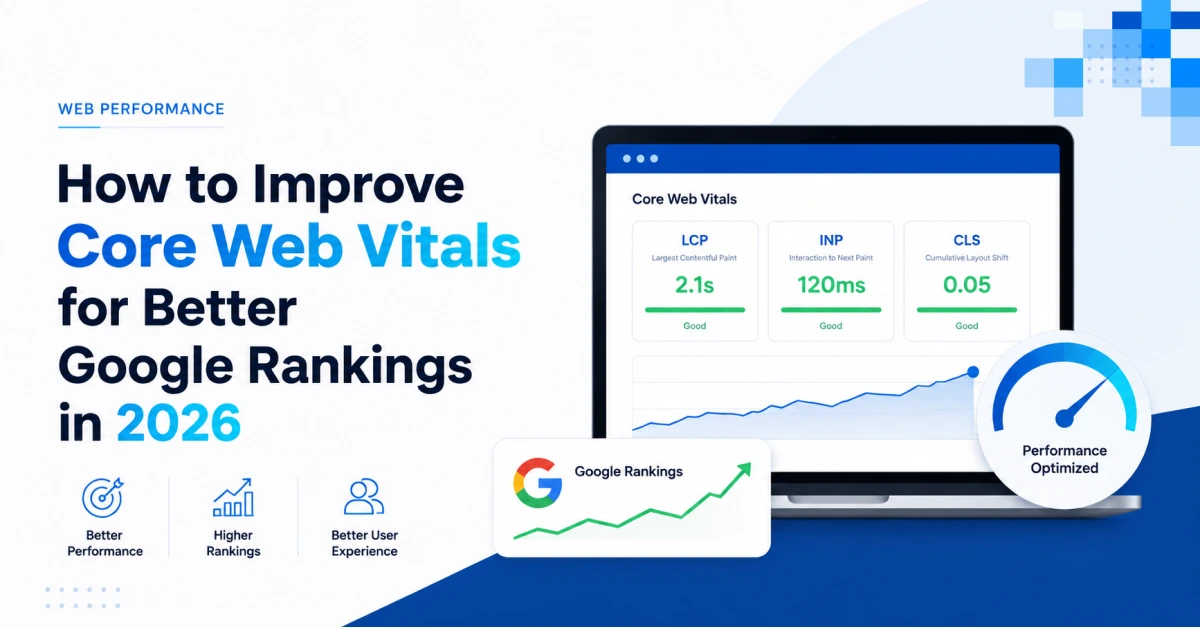
Google’s Core Web Vitals are a set of real-world, user-centered metrics that measure key aspects of the browsing experience: loading speed, interactivity, and visual stability. As of 2026, the three Core Web Vital metrics are Largest Contentful Paint (LCP), which measures loading performance by tracking when the largest content element becomes visible; Interaction to Next Paint (INP), which assesses responsiveness by measuring the time from a user interaction (click, tap, keypress) to the next visual update; and Cumulative Layout Shift (CLS), which quantifies visual stability by tracking unexpected layout shifts during the page’s lifespan. Google’s “good” thresholds for 2026 remain: LCP under 2.5 seconds, INP under 200 milliseconds, and CLS under 0.1. Sites that pass all three thresholds across 75% of page visits earn the “good” rating. At CloudMatrix Technologies, we prioritize Core Web Vitals optimization in every web development project because we understand that performance directly impacts our clients’ search visibility and conversion rates.
Why Core Web Vitals Matter for Google Rankings
Google’s mission is to deliver the best possible user experience to searchers. Slow-loading, janky, or unstable pages frustrate users and increase bounce rates. Multiple studies have established the correlation: pages that meet Core Web Vitals thresholds see up to 40% fewer user drop-offs and an average 8% higher conversion rate. Google confirmed that Core Web Vitals are a ranking factor in both mobile and desktop search results. Additionally, sites passing Core Web Vitals may qualify for eligibility in Google’s Top Stories carousel and Google Discover surfaces. A 2025 study by Backlinko analyzing 11.8 million Google search results found that sites with excellent Core Web Vitals ranked, on average, 2.3 positions higher than similar-content sites with poor vitals. While content relevance remains the primary ranking factor, Core Web Vitals serve as a tiebreaker — when two pages have similar content quality, the faster, more stable page wins. This makes Core Web Vitals optimization one of the highest-ROI SEO activities available to website owners in 2026.
Metric 1: Largest Contentful Paint (LCP) — Loading Performance
LCP measures the time it takes for the largest content element on your page (typically a hero image, video poster, or large text block) to become visible. A good LCP score is under 2.5 seconds. According to Google data, 52% of mobile users abandon a site that takes longer than 3 seconds to load. Every second of delay beyond 2.5 seconds correlates with a 4.42% drop in conversion rates. Common LCP culprits include slow server response times, render-blocking JavaScript and CSS, slow resource load times (especially images), and client-side rendering delays. Identifying and fixing LCP issues typically yields the most dramatic improvements in overall page experience.
How to Improve LCP
- Optimize server response time (TTFB): Use a fast hosting provider, implement CDN caching, and consider moving to cloud hosting for better server performance. Aim for Time to First Byte under 800ms.
- Preload key resources: Use
<link rel="preload">for your hero image and critical CSS. This tells the browser to fetch these resources immediately rather than waiting for the parser to discover them. - Optimize and compress images: Convert images to next-gen formats like WebP or AVIF. Use responsive images with srcset attributes to serve appropriately sized images for each device. Compress images to reduce file size by 60–80% without visible quality loss.
- Eliminate render-blocking resources: Defer non-critical CSS and JavaScript. Inline critical CSS directly in the HTML head. Use async or defer attributes for JavaScript files that are not needed for initial rendering.
- Implement lazy loading: Use loading=”lazy” for below-the-fold images and iframes. However, ensure your LCP element is NOT lazy-loaded — it should be prioritized for immediate rendering.
- Use a CDN: Content Delivery Networks distribute your assets across global edge servers, reducing latency for users regardless of their geographic location. Our cloud solutions include CDN configuration for faster content delivery.
Metric 2: Interaction to Next Paint (INP) — Responsiveness
INP replaced FID in March 2024 as a more comprehensive measure of interactivity. While FID measured only the time from first interaction to first response, INP captures the latency of all interactions throughout the page’s lifespan — clicks, taps, keyboard presses, and touch events. A good INP score is under 200 milliseconds. Poor INP is typically caused by long tasks (JavaScript execution blocks exceeding 50ms), heavy DOM manipulation, complex event handlers, and third-party script interference. Since INP measures all interactions, it provides a more complete picture of perceived responsiveness. Optimizing INP requires a systematic approach to JavaScript management and main thread scheduling.
How to Improve INP
- Break up long JavaScript tasks: Split JavaScript execution into chunks of less than 50ms using techniques like code splitting, requestIdleCallback, and scheduler.yield().
- Optimize event handlers: Debounce or throttle scroll and resize handlers. Defer non-critical event processing. Use passive event listeners for touch and wheel events to avoid blocking scrolling.
- Minimize third-party scripts: Each third-party script (analytics, ads, social widgets, chat widgets) adds JavaScript execution time. Audit third-party scripts quarterly and remove unused ones. Load essential scripts asynchronously.
- Use web workers: Offload heavy computations to web workers, which run on separate threads and do not block the main thread’s interaction handling.
- Implement virtual scrolling: For pages with long lists or data tables, use virtual scrolling techniques that render only visible DOM elements, reducing the interaction processing overhead.
Metric 3: Cumulative Layout Shift (CLS) — Visual Stability
CLS measures unexpected shifts in page layout that occur after the user has started interacting with the page. A good CLS score is under 0.1. Common CLS causes include images and videos without explicit dimensions, dynamically injected content (ads, embeds, banners) without reserved space, web fonts causing FOIT/FOUT (Flash of Invisible/Unstyled Text), and iframes with unknown dimensions. Layout shifts are particularly damaging for user experience — they cause users to click the wrong button, lose their place while reading, and develop negative associations with your site. Research shows that pages with high CLS (>0.25) have bounce rates 32% higher than pages with good CLS. Unlike LCP and INP which require ongoing monitoring, CLS improvements are often permanent once implemented correctly.
How to Improve CLS
- Set explicit width and height: Always specify width and height attributes on images, videos, and iframes. The modern CSS aspect-ratio property is also effective.
- Reserve space for dynamic content: Use CSS min-height and placeholder containers when loading dynamic elements like ads, embeds, or social media widgets. Set fixed dimensions for these containers.
- Optimize web font loading: Use font-display: swap or font-display: optional to prevent invisible text. Consider preloading critical fonts.
- Use transform animations instead of layout-triggering properties: Animating width, height, margin, or top/left triggers layout recalculations. Use CSS transform and opacity instead, which are composited on the GPU and do not cause layout shifts.
- Inject third-party content asynchronously: Load ads, embeds, and widgets after the initial layout is stable. Use IntersectionObserver to defer non-critical content loading until it is near the viewport.
Tools to Measure and Monitor Core Web Vitals
Google PageSpeed Insights provides both lab data (simulated from Lighthouse) and field data (real user experience from Chrome User Experience Report — CrUX). Google Search Console has a dedicated Core Web Vitals report showing which URLs are failing and why. Lighthouse (in Chrome DevTools) gives actionable diagnostic reports for individual pages. Web Vitals JavaScript library lets you measure real-user vitals with analytics integration. CrUX API provides programmatic access to field data. GTmetrix and WebPageTest offer detailed waterfall charts and performance recommendations. For ongoing monitoring, consider a real user monitoring (RUM) solution that tracks vitals across your entire site continuously. Our IT consulting and training includes comprehensive performance audit and optimization services that help businesses identify and fix Core Web Vitals issues systematically.
Advanced Core Web Vitals Optimization Strategies
CDN and Edge Computing
Edge computing platforms like Cloudflare Workers and Vercel Edge Functions allow you to run code close to your users, reducing server response times and accelerating LCP. Combined with a global CDN, edge computing can reduce TTFB by 50–70%. Many CDNs now offer automatic image optimization that serves WebP/AVIF formats, adjusts quality, and resizes images dynamically based on device and viewport — significantly improving both LCP and bandwidth consumption. These advanced optimization techniques are becoming standard practice for high-performance websites in 2026.
Critical CSS and Inlining
Critical CSS identifies the CSS rules needed to render above-the-fold content and inlines them directly in the HTML head. This eliminates render-blocking CSS requests for the initial viewport content. Tools like Critical (Node.js) and online generators can extract critical CSS automatically. The full CSS file loads asynchronously for below-the-fold content. This technique alone can improve LCP by 15–30% for CSS-heavy pages and is one of the quickest wins for performance optimization.
Modern Image and Video Formats
WebP compression achieves 25–35% smaller file sizes compared to JPEG at equivalent quality. AVIF (now supported in 92% of browsers in 2026) offers even better compression — 50% smaller than JPEG with superior detail preservation. For video content, use lazy loading with poster images, preload metadata only, and consider replacing GIF animations with optimized video loops (MP4 or WebM) for drastically smaller file sizes. Adopting next-generation image formats is one of the most impactful changes you can make for both LCP and overall page weight reduction.
Frequently Asked Questions (FAQ)
Are Core Web Vitals still a ranking factor in 2026?
Yes, Core Web Vitals remain a confirmed Google ranking factor for both mobile and desktop search results. They are part of Google’s broader page experience ranking signal. While content relevance and backlinks are weighted more heavily, Core Web Vitals serve as an important tiebreaker, especially in competitive niches where content quality is similar among top-ranking pages.
How often does Google update Core Web Vitals data?
Google updates its CrUX dataset on a daily basis, but the comprehensive 28-day rolling average is refreshed approximately every 24–48 hours. Google Search Console’s Core Web Vitals report updates daily. Lab-based testing with Lighthouse provides immediate results for individual pages, while field data in CrUX reflects real user experiences over the trailing 28-day period.
Can I pass Core Web Vitals on shared hosting?
Yes, it is possible with proper optimization, but shared hosting’s limited resources and noisy neighbor environment make it more challenging. Upgrading to cloud or dedicated hosting, enabling a CDN, and implementing aggressive caching significantly improve your chances of passing all three vitals.
What is the most common Core Web Vitals failure?
LCP (Largest Contentful Paint) is the metric most sites fail. According to CrUX data from 2025–2026, approximately 45% of mobile pages fail LCP, compared to 35% failing CLS and 30% failing INP. The primary causes are unoptimized hero images, slow server response times, and render-blocking resources. Fortunately, LCP is often the easiest metric to improve with targeted optimization efforts.
Do plugins affect Core Web Vitals?
Yes, significantly. Each plugin adds CSS, JavaScript, and potentially server overhead. A WordPress site with 50+ plugins is far less likely to pass Core Web Vitals than one with 10–15 well-coded plugins. Regular plugin audits and replacing bloated plugins with lightweight alternatives is one of the fastest ways to improve vitals. If you need help optimizing your site’s performance, our team at CloudMatrix Technologies specializes in Core Web Vitals improvement as part of our web development and cloud solutions. Contact us for a free performance audit.